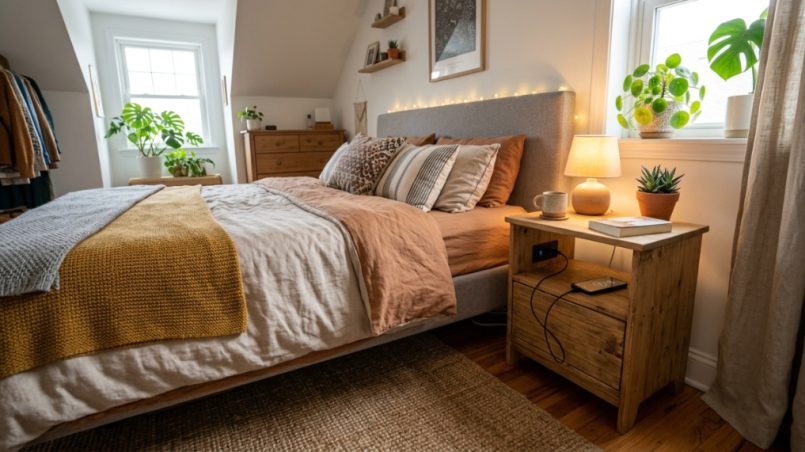
You finally found the perfect spot for your new bed, but now you’re staring at an empty space beside it. Your phone is at 8%, your alarm clock needs an outlet, and that ratty old cardboard box just isn’t cutting it as a bedside table anymore. Finding a stylish, functional nightstand that doesn’t break the bank feels like a scavenger hunt, especially when you want built-in USB charging. The good news? You don’t have to settle for flimsy furniture or pay boutique prices. This guide walks you through exactly how to locate durable, affordable nightstand Missouri USB options that match your style and your tech needs—without wasting hours driving from store to store.
What Features Should You Prioritize in a Budget-Friendly USB Nightstand?
When shopping on a budget, you need to separate “must-haves” from “nice-to-haves.” A USB nightstand should offer more than just a port. You want a piece that holds up to daily use, fits your mattress height, and charges your devices safely. Prioritize charging speed, cord management, and build material over flashy extras you won’t use.
Understanding USB-A vs. USB-C Ports
Many older budget nightstands only feature USB-A ports, which charge slower than modern USB-C. Check the specifications. If you own a newer Android phone or a 13-inch MacBook, a USB-C PD (Power Delivery) port is essential for fast charging. If the listing only mentions “USB,” it is likely a standard 5V/1A or 5V/2.1A port—fine for overnight charging, but not for quick top-ups in the morning.
Evaluating Storage Capacity: Drawers vs. Shelves
Think about what you need beside your bed. Do you read physical books, or do you use a tablet? Do you need space for glasses, medication, or lotions? A nightstand with one deep drawer is great for hiding clutter, while an open shelf is perfect for a basket or a stack of books. For the best value, look for a combination of both—usually a top drawer and a lower shelf—which gives you flexible storage without a hefty price tag.
Checking Material Durability on a Budget
Solid wood is expensive. In the budget segment, you will mostly find MDF (Medium-Density Fiberboard) or particleboard with a veneer. While these are acceptable, ensure the finish is a high-pressure laminate rather than a printed paper wrap. Paper wraps peel and bubble easily in humid Missouri summers. Look for terms like “engineered wood” or “water-resistant laminate” to ensure the nightstand survives a spilled glass of water.
Why Are USB Nightstands More Expensive Than Regular Ones?
Integrating electronics into furniture requires additional components: power transformers, wiring, and safety certifications (like UL or ETL listing). These parts increase the manufacturing cost. However, the price gap is shrinking. You can often find USB models for only $20–$30 more than standard wooden counterparts, making the convenience worth the extra investment for most households.
The Cost of Safety Certifications
Safety is not where you want to cut corners. The transformer inside the charging base converts AC wall power to DC. A cheap, non-certified transformer risks overheating or damaging your phone. Look for the UL (Underwriters Laboratories) or ETL (Intertek) mark on the product description. If it isn’t listed, verify that the power adapter is detachable and meets basic electrical standards.
Adding “Smart” Features Increases Price
Some nightstands now include wireless charging pads (Qi-standard) and even built-in Bluetooth speakers. While cool, these features drastically increase the price. If your goal is strictly affordability, skip the wireless charging (which is often slow) and stick to a simple wired USB plug. You can buy a separate 15W wireless pad for $15 that sits on top of the furniture, which is cheaper than paying a $50 premium for a built-in one.
How Do You Measure the Perfect Nightstand Height?
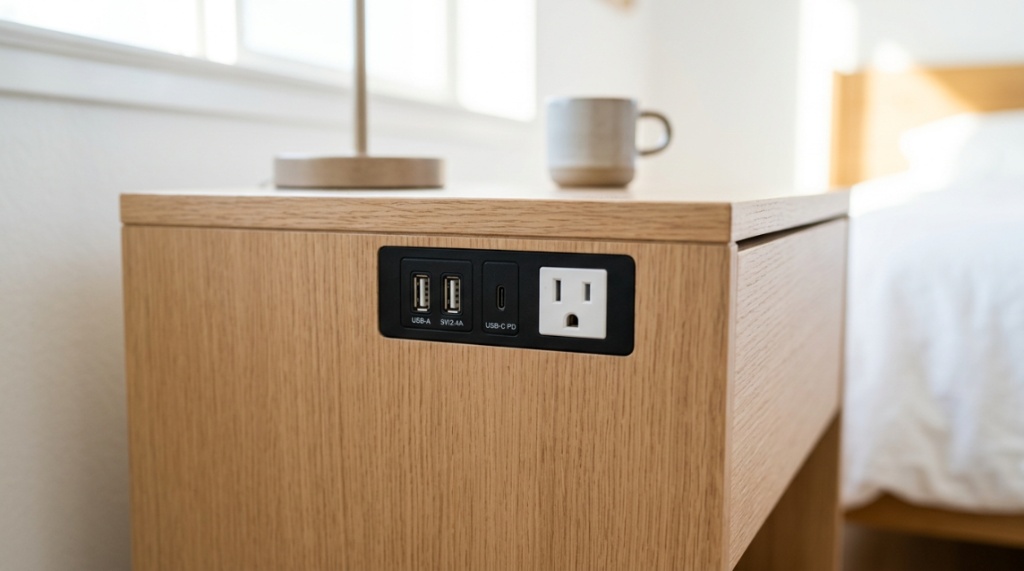
To avoid awkward reaching, the top of your nightstand should be within two inches of the top of your mattress. This ensures your phone, water glass, and reading glasses are easily accessible without straining your shoulder. If you have a tall platform bed, you’ll likely need a nightstand between 24 and 28 inches tall. For older, taller box-spring beds, you might need a unit closer to 30 inches.
Measuring Your Bed Frame and Mattress
Grab a tape measure. Measure from the floor to the top of your mattress (not the pillow). You want the nightstand to sit level with this height. Bedding and comforters add about 2–3 inches, so a slightly lower nightstand feels better than a taller one. Most standard nightstands range from 22 to 26 inches, but check the product dimensions carefully before ordering online.
Depth and Width Considerations for Small Spaces
In a tight Missouri apartment or a cozy farmhouse bedroom, width matters. A standard nightstand is around 18 to 20 inches wide. If you have less than 24 inches of wall space, look for a compact 16-inch model. Depth is equally important—don’t let the nightstand block your walking path. Leave at least 30 inches of clearance between the edge of the nightstand and any opposite furniture.
Which Materials Offer the Best Value for the Price?
Rigid materials like metal and tempered glass are easy to clean and resist moisture. Solid rubberwood is ideal but expensive. In the budget tier, metal frames paired with wooden tops offer the best mix of durability and cost. They are lightweight, easy to assemble, and don’t swell or warp like cheaper particleboard.
Metal and Wood Hybrids
These usually feature a steel frame with an MDF or particleboard tabletop. They look modern and industrial, fitting well in lofts or modern suburban homes. The metal frame handles the structural load, while the wood top provides a warm surface. This combination avoids the sagging issue common in all-pressed-wood furniture, ensuring your USB port and wiring stay stable.
Fabric and Upholstered Nightstands
Upholstered headboards are trendy, but fully upholstered nightstands are a trap for budget buyers. They stain easily, collect dust, and the fabric wears out quickly. If you like the soft look, choose a model with a fabric front but a wood or metal top and frame. This gives you the aesthetic benefit without the hygiene nightmare of fabric surfaces where you place drinks.
Where Can You Shop for Affordable Nightstands Locally in Missouri?
Supporting local businesses can sometimes yield the best deals, especially during clearance events. Stores in St. Louis, Kansas City, and Springfield often have surplus stock that they discount heavily to avoid warehousing fees. However, you must physically check the sturdiness of joints and test the USB port with your own charger before buying.
Outlet Malls and Overstock Retailers
Places like the Outlet Shoppes at Branson or the Independence Center often have furniture stores with “scratch and dent” sections. These pieces usually have a minor cosmetic flaw on the back or bottom that doesn’t affect function. You can negotiate prices aggressively here, especially for floor models. Always ask if the USB ports are functional and tested on display models—they receive heavy use.
Online Marketplace Strategies for Missouri Residents
Facebook Marketplace and Craigslist are goldmines in Missouri. Search with proximity filters. Look specifically for items from pet-free and smoke-free homes. When messaging sellers, ask for the brand name and model number. This allows you to look up the original specs to verify the USB ports are indeed built-in and not a modification. Use reverse image search to ensure the photo isn’t a stock photo from a retailer.
When Is the Best Time of Year to Buy Nightstands?
Timing your purchase strategically can save you 30% to 50% off retail prices. The furniture industry follows predictable clearance cycles. You should avoid buying at the peak of the back-to-school season or during the spring home-buying rush when demand is high and discounts are low.
Major Holiday Sales and Clearance Events
Target the big three: Memorial Day, Labor Day, and Black Friday. Additionally, since furniture styles change, watch for “inventory refresh” sales in January and July. Retailers often discount items with built-in USB ports faster than standard pieces because tech features become outdated quickly. That “older” USB-A port might be heavily discounted simply because the store is making room for USB-C models.
Can You DIY a USB Charging Station into a Regular Nightstand?
Yes, absolutely. If you already own a nightstand you love, you can retrofit it for less than $30. This is frequently the most affordable route, as you are only paying for the electronics, not new furniture. This approach also allows you to choose a high-quality wood piece from a thrift store and modernize it.
Tools and Materials Needed
You will need an AC to DC power adapter (5V/3A or better), a USB hub mount kit, a hole saw drill bit, and a power drill. You can also use a “charging express” kit that pushes through a pre-drilled 2-inch hole. These kits typically include a flush-mount plug that sits on the surface and a pass-through outlet for the back of the drawer.
Step-by-Step Installation Process
First, mark the location on the top or side of the nightstand. Use a hole saw to cut a clean circle. Second, pull the wires through the hole. Third, secure the charging faceplate using the lock ring provided in the kit. Fourth, plug the adapter into the wall and tuck the cord into a cable management sleeve on the back leg. Last, please test the voltage with a device before placing your phone on it overnight. This DIY method gives you the exact placement you want while saving money on shipping and retail markup.
If you prefer a ready-made solution that is pre-verified for safety and durability, you can skip the DIY hassle by browsing curated collections of affordable nightstand Missouri USB models that meet strict quality benchmarks.
How Do You Ensure Your USB Nightstand Doesn’t Ruin Your Phone Battery?
A low-quality USB port can damage your device. The port must regulate the current to match your phone’s requirements. Look for nightstands that advertise “smart charging” or “adaptive charging.” These ports detect the device and adjust the power output to prevent overcharging and overheating.
Recognizing Trickle Charge vs. Fast Charge
If your phone takes 4 hours to charge from 0 to 100%, it is likely only drawing 5 watts. For reference, standard USB-A is 5W, while quick charge is 18W+, and USB-C PD is 20W-65W. For overnight charging, a 5W trickle charge is actually better for your battery. No—the battery health is better sustained by keeping it between 20% and 80% and avoiding fast charging when heat is present. In the summer, Missouri heat combined with fast charging can degrade the battery. Use the slower USB port while sleeping to reduce heat.
What Are the Best Brands Offering Budget-Friendly USB Nightstands?
Several direct-to-consumer brands and big-box stores offer reliable options under $150. The brand you choose should have a clear return policy and accessible customer service. Avoid “mystery” third-party sellers with no phone support.
Big-Box Retailers (Walmart, Target, IKEA)
IKEA offers the NORDKISA series, which has hidden USB ports in a discrete spot. Target’s Project 62 line includes the “Brampton” nightstand, which combines a drawer and an open area. Walmart’s “Better Homes & Gardens” brand offers a farmhouse style with two USB ports in the back panel—these are usually around $90 and feature a clear laminate finish that is easy to wipe down.
Online Native Brands (Amazon, Wayfair)
Wayfair’s “Three Posts” and “Zipcode Design” brands dominate the mid-range with options that ship to Missouri within 3-5 days. Look at the “Turrentine” model, which includes a USB port and a standard outlet. On Amazon, look for “”CSA”-certified listings. Always read the recent 1-star reviews to look for complaints about the charging circuit dying after a few weeks—this is the most common failure point.
When searching for the right elevation to alleviate muscle soreness, local climate, comfort preferences, and firmness levels all play a role. If you are shopping locally or looking for regional availability, you can also check out this guide to help you pick a pillow for back pain in Washington to ensure proper spinal support.
How Should You Assemble and Maintain Your USB Nightstand?
Proper assembly maximizes safety. Over-tightening screws can strip the wood, and under-tightening them can lead to wobbling that pulls on the USB wiring. Always use a screwdriver, not a drill, for the final tightening to prevent snapping the particleboard.
Cleaning the Electronics Safely
When dusting, avoid wet wipes on the USB ports. If dust accumulates in the port, it can create a fire hazard. Use a dry cotton swab to gently clean the port. If you spill water near the panel, unplug the adapter immediately and let it dry for 24 hours before using it again. Blot, do not scrub, the power adapter itself.
Regularly inspect the power cable for fraying—especially if you have pets that like to chew cords. Tuck excess wire under the nightstand or use cord clips to keep it off the floor where it can get caught by a vacuum cleaner, damaging the transformer. Maintain the wood finish with a dry microfiber cloth to prevent moisture from seeping into the seams where the USB plate is mounted.
Frequently Asked Questions
Are USB nightstands worth the extra cost?
Yes, if you frequently charge your phone in bed, the convenience eliminates the need for a bulky adapter block near your pillow and keeps cords tidily managed. The small premium is worth the dedicated charging capability, especially since it protects your cable connections from being accidentally yanked off the bed.
Can I use the USB port to charge my tablet or iPad?
Most built-in USB ports output 5V/2.1A (10W), which is enough to slowly charge an iPad, but it will charge slower than the included 20W brick. If you need a fast charge on a tablet, use the standard AC outlet on the nightstand rather than the USB port.
How do I clean a fabric nightstand with USB ports?
Vacuum the fabric with a brush attachment weekly. For the USB port, unplug it and use a compressed air duster inside. Do not use liquid cleaners near the electric panel, as moisture can seep into the internal wiring and cause a short circuit.
Is it safe to leave my phone plugged in all night?
Yes, modern smartphones and certified nightstands have overcharging protection that stops the current once the battery is full. However, the phone might “trickle charge” to maintain 100%, which causes slight heat. Unplugging avoids battery degradation, but it is not a safety risk.
Where can I find replacement power adapters for my nightstand?
Check the label on the original adapter for the voltage and amperage (output). You can purchase a generic replacement on Amazon or at an electronics store like Micro Center. Ensure the plug size (barrel jack) matches the nightstand’s socket; these are usually 5.5mm x 2.1mm.
Making the Right Choice for Your Bedroom
Finding the perfect nightstand comes down to balancing safety, size, and storage. You don’t need to spend a fortune to get a piece that looks great and charges your devices reliably. Start by measuring your space and identifying the lower-amperage USB ports for safe overnight charging. Whether you choose a sleek metal frame or a sturdy laminate wood model, prioritize certified electronics and solid assembly. Remember to shop seasonally for discounts and always inspect the wiring upon delivery. With this guide, you are now ready to upgrade your nightly routine with a functional, budget-friendly focal point that keeps your space organized and your gadgets ready to go.